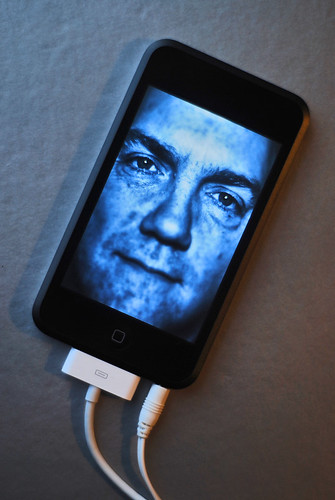
 Today we will be exploring how the digital world has changed the world, the people and how we interact with one another. This week's assignment begins with an article by Marc Prensky about Digital Natives and Digital Immigrants. This is followed by a group of videos to introduce you to blogs, wikis and twitter. There are a couple of podcasts that include interviews of educators about using new technologies in schools. Have fun!!!
Prensky, M. (2001) Digital Natives, Digital Immigrants.
This is the classic article about generation differences. Reflect how this applies to your life and your associates.
Blogs in Plain English
You have heard of blogs. Do you know what they are? This 3-minute video does a good job of describing blogs and blogging in plain, easy-to-understand, English.
Top 10 Reasons to Use a Blog in the Classroom
Here are the opinions of 10 high school students about why to use blogs in the classroom. It isn't educational theory, but it provides some personal insights of students.
Blogger: How to Start a Blog (YouTube Video)
A 2-minute video on how to create your Blogger blog and begin with your first posting.
Another plain English introduction to a technology tool. This 4-minute video describes how a wiki works.
Using Wikispaces in the Classroom (Podcast)
This is a 30-minute interview with Vicki Davis, a high school teacher in GA, and Adam Frey, the developer of Wikispaces.com.
Twitter in Plain English (YouTube Video)
A 3-minute video explaining Twitter.
Shifting Our Schools Episode 9: How to Go Deeper in Student Learning. Why Go Deeper?
This is an exceptional podcast where Michael Lambert shares some of his instructional and assessment practices that take the learning deeper and make it more meaningful for his students. Mike will talk about making connections in the brain and making connections between other areas of study. You can read more about this in the podcast's "show notes."
Optional
Learning Styles of the Net Generation
9-minute video about how educators should address teaching today's students.


![Reblog this post [with Zemanta]](https://lh3.googleusercontent.com/blogger_img_proxy/AEn0k_v3M8TrUdPEtsn_1O6BD1KAyd1ez0VkBF8YMMokVR9C6krN4wGrDfsTg42ZVMQfvIbT1lKFj8uHgvxksVuhQrCvOIV9T1a1Amv5a4oAfQxqdEHJnHRHMv__mDwHP63FqiOeysg223r03j6vVdwQ-rbN=s0-d)

 Posts
Posts

